Understanding Variables and Data Types in JavaScript
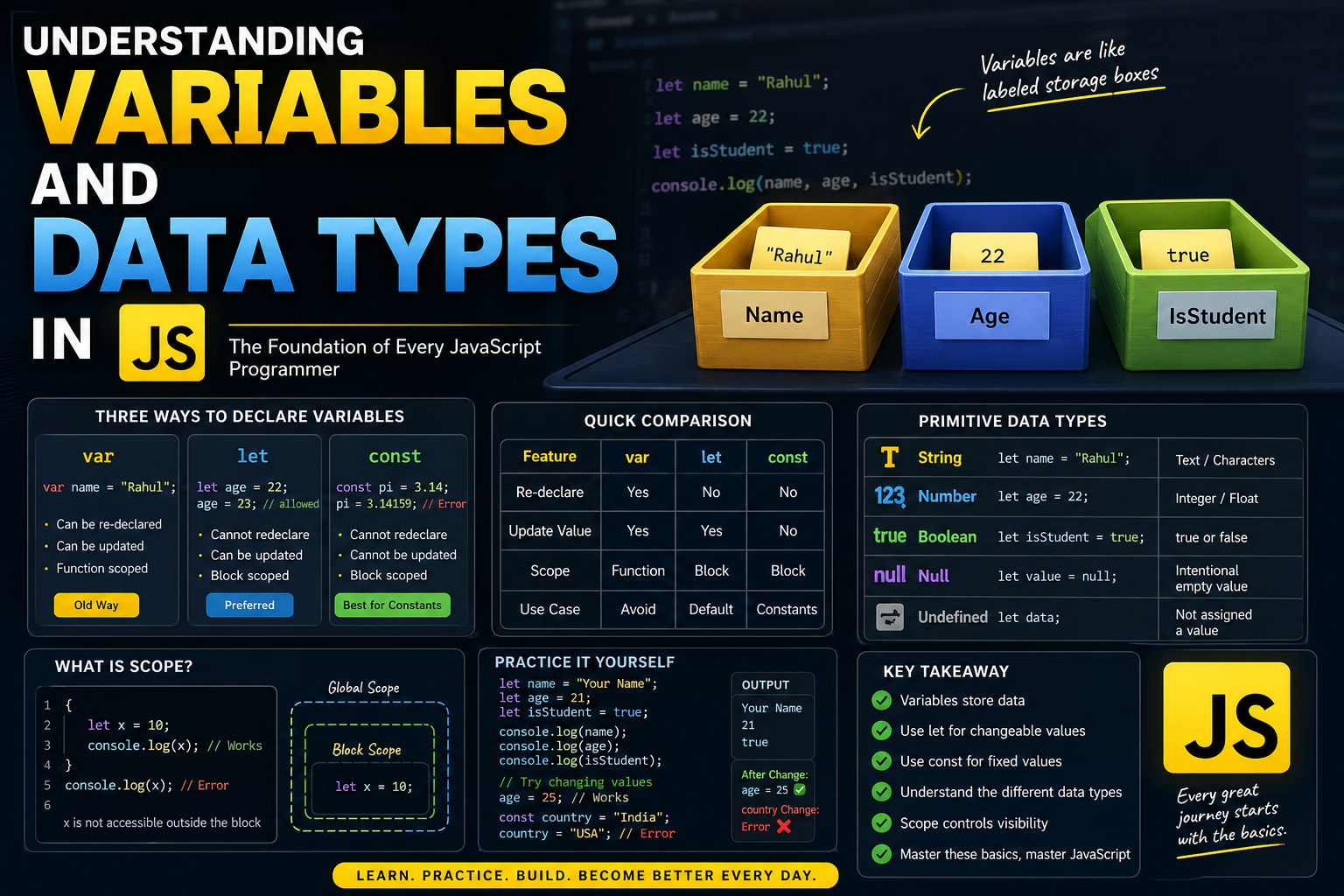
JavaScript is a language that revolves around data. Whether you're building a simple form or a complex application, everything starts with storing and manipulating values.
Before diving into advanced concepts, you must clearly understand variables and data types — the absolute foundation of JavaScript.
Think Like Real Life: Variables as Storage Boxes


Imagine you have labeled boxes:
One box labeled Name
One box labeled Age
One box labeled IsStudent
You store values inside them:
Name → "Rahul"
Age → 22
IsStudent → true
In JavaScript, these labeled boxes are called variables.
What is a Variable?
A variable is simply a container used to store data.
Example:
let name = "Rahul";
let age = 22;
let isStudent = true;
Here:
namestores a stringagestores a numberisStudentstores a boolean
Why Do We Need Variables?
Without variables, you would have to repeat values again and again.
Without variables:
console.log("Rahul");
console.log("Rahul");
console.log("Rahul");
With variables:
let name = "Rahul";
console.log(name);
console.log(name);
console.log(name);
Cleaner, readable, and maintainable.
How to Declare Variables
JavaScript gives us three ways to declare variables:
var(old way)let(modern)const(modern & safest)
var, let, const — Basic Understanding


1. var (Old Way)
var name = "Rahul";
Can be re-declared
Can be updated
Function scoped (we’ll simplify this later)
2. let (Recommended for changeable values)
let age = 22;
age = 23; // allowed
Cannot be re-declared in the same scope
Can be updated
Block scoped
3. const (For fixed values)
const pi = 3.14;
pi = 3.14159; // Error
Cannot be re-declared
Cannot be updated
Must assign value at declaration
Quick Comparison Table
| Feature | var | let | const |
|---|---|---|---|
| Re-declare | Yes | No | No |
| Update value | Yes | Yes | No |
| Scope | Function | Block | Block |
| Use case | Avoid | Default | Constants |
What is Scope? (Super Simple)


Think of scope like visibility of a variable.
Example:
{
  let x = 10;
  console.log(x); // works
}

console.log(x); // Error
Why?
Because x is inside a block {} — it cannot be accessed outside.
Data Types in JavaScript
Variables store data, and that data has a type.
Primitive Data Types (Important for beginners)
1. String (Text)
let name = "Rahul";
Anything inside quotes
Represents text
2. Number
let age = 22;
- Integers and decimals
3. Boolean
let isStudent = true;
- Only two values:
trueorfalse
4. null
let value = null;
Intentional empty value
Means "nothing is here"
5. undefined
let data;
- Variable declared but no value assigned
Real-Life Mapping of Data Types
| Real Life | JavaScript Type |
|---|---|
| Name | String |
| Age | Number |
| Student Status | Boolean |
| Empty Value | null |
| Not Assigned | undefined |
Changing Values (let vs const)
let age = 22;
age = 25; //  allowed

const name = "Rahul";
name = "Amit"; //  error
Use:
let→ when value can changeconst→ when value should stay fixed
Simple Code Walkthrough
let name = "Rahul";
let age = 22;
let isStudent = true;

console.log(name);
console.log(age);
console.log(isStudent);
Output:
Rahul
22
true
Assignment (Practice Now)
Try this in your editor or browser console:
let name = "Your Name";
let age = 21;
let isStudent = true;

console.log(name);
console.log(age);
console.log(isStudent);

// Try changing values
age = 25; // works

const country = "India";
country = "USA"; // error
Observe:
letallows changeconstdoes not
Common Beginner Mistakes
1. Using const for changing values
const age = 22;
age = 23; //
2. Forgetting to assign value
let data;
console.log(data); // undefined
3. Confusing null and undefined
null→ intentionally emptyundefined→ not assigned
Practical Insight (Important)
In real projects:
Use const by default
Use let when needed
Avoid var
This makes your code:
Safer
Predictable
Easier to debug
Final Thoughts
Variables and data types are not just basics — they are the foundation of everything in JavaScript.
Once you master this:
You write cleaner code
You avoid common bugs
You understand advanced concepts faster
What to Do Next
Practice small examples:
Store user details
Change values
Try different data types
Then move to:
Arrays
Objects
Functions
Summary
Variables store data
letandconstare modern waysData types define what kind of value is stored
Scope controls where variables can be accessed


