Understanding Object-Oriented Programming in JavaScript
A Beginner → Advanced → Pro-Level Journey with Real-World Thinking
Why This Matters
If you want to write clean, scalable, and reusable JavaScript, you cannot avoid Object-Oriented Programming (OOP).
Most beginners write code that works. Professionals write code that scales and survives change.
This article will take you from zero understanding → real-world developer mindset → business-level thinking.
1. What is Object-Oriented Programming (OOP)?
Object-Oriented Programming is a way of structuring code using objects that represent real-world entities.
Instead of writing scattered logic, we group:
Data (properties)
Behavior (methods)
into a single unit → Object
Real-Life Thinking
Think like this:
A Car has:
color
speed
A Car can:
start()
drive()
This is exactly how OOP works.
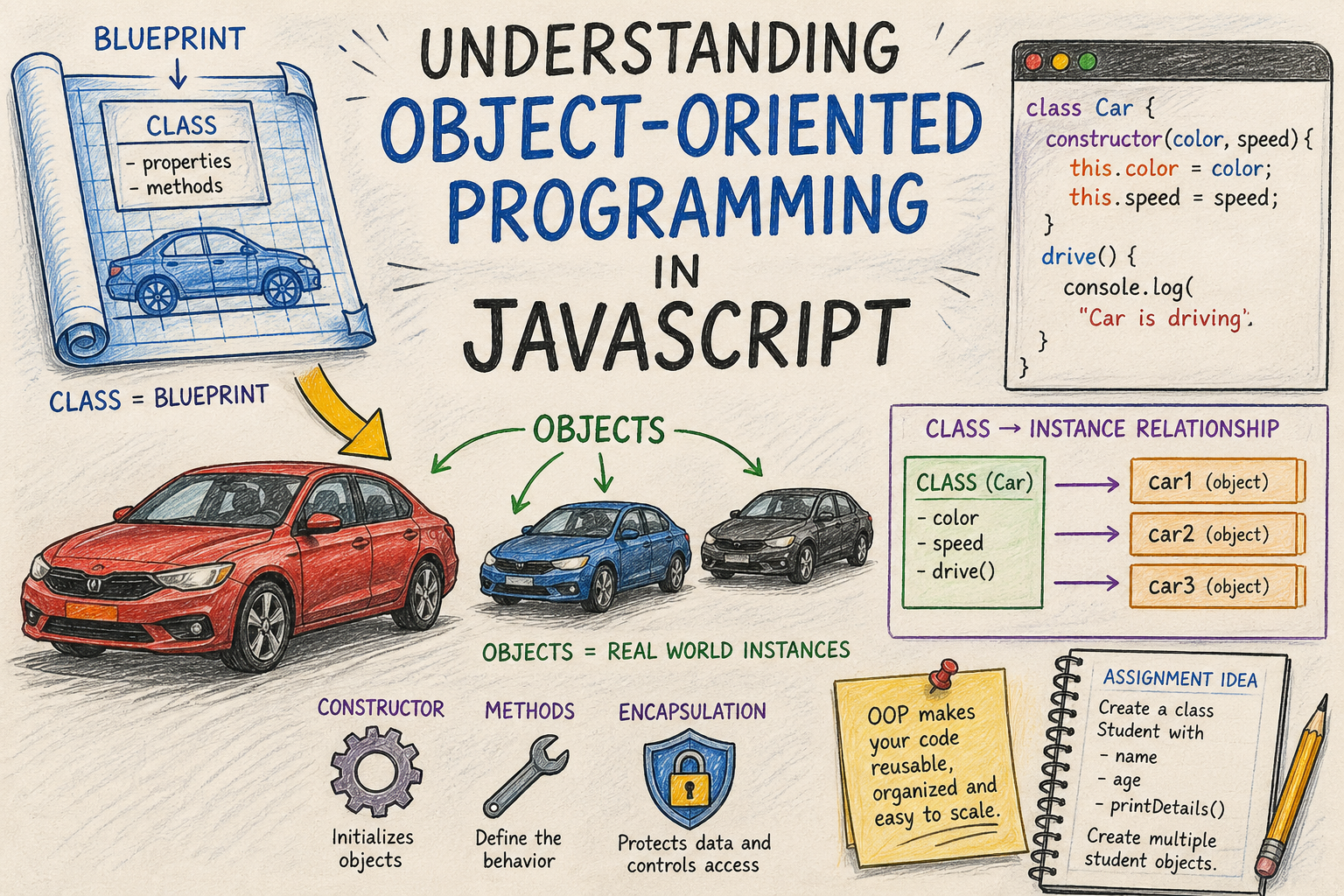
2. Blueprint → Object (Core Concept)


Simple Analogy
Blueprint = Class
Real Car = Object
A class is a template, and objects are real instances created from it.
3. What is a Class in JavaScript?
A class is a blueprint used to create objects.
Example: Car Class
class Car {
  constructor(color, speed) {
    this.color = color;
    this.speed = speed;
  }

  drive() {
    console.log(`Car is driving at ${this.speed} km/h`);
  }
}
4. Creating Objects (Instantiation)
const car1 = new Car("Red", 120);
const car2 = new Car("Blue", 90);

car1.drive(); // Car is driving at 120 km/h
car2.drive(); // Car is driving at 90 km/h
What's Happening Internally?


When you use new:
A new empty object is created
thispoints to that objectConstructor runs
Object is returned
5. Constructor Method (Heart of Object Creation)
The constructor() is a special method that runs when an object is created.
class Person {
  constructor(name, age) {
    this.name = name;
    this.age = age;
  }
}
Why Constructor is Important
Initializes data
Ensures every object starts with valid values
Central place for setup logic
6. Methods Inside a Class
Methods define behavior.
class Person {
  constructor(name, age) {
    this.name = name;
    this.age = age;
  }

  introduce() {
    console.log(`Hi, I am \({this.name} and I am \){this.age} years old`);
  }
}
7. Encapsulation (Basic Idea)
Encapsulation means:
Keep data and behavior together, and control access.
Simple Understanding
Instead of doing this:
person.age = -10; // invalid
We control it:
class Person {
  constructor(name, age) {
    this.name = name;
    this.age = age;
  }

  setAge(newAge) {
    if (newAge > 0) {
      this.age = newAge;
    }
  }
}
Why Encapsulation Matters
Prevents invalid data
Improves reliability
Makes code safer
8. Beginner → Intermediate Upgrade
Now let’s connect concepts.
Example: Student System
class Student {
  constructor(name, age) {
    this.name = name;
    this.age = age;
  }

  getDetails() {
    return `\({this.name} is \){this.age} years old`;
  }
}
Creating Multiple Objects
const s1 = new Student("Rahul", 21);
const s2 = new Student("Anita", 22);
const s3 = new Student("Vikram", 20);

console.log(s1.getDetails());
console.log(s2.getDetails());
console.log(s3.getDetails());
9. Assignment (Must Practice)
Your Task
Create a class:
class Student {
  // properties: name, age
  // method: printDetails()
}
Requirements
Create 3 student objects
Print their details
Try adding validation for age
10. Real Developer Thinking (Important)
Beginners think:
“How do I write this code?”
Professionals think:
“How do I structure this system?”
Example: Without OOP
let user1 = { name: "A", age: 20 };
let user2 = { name: "B", age: 25 };
Problems:
Duplicate structure
No control
Hard to scale
Example: With OOP
class User {
  constructor(name, age) {
    this.name = name;
    this.age = age;
  }
}
Now:
Reusable
Clean
Maintainable
11. Intermediate → Advanced Shift
Let’s improve design thinking.
Add Behavior + Rules
class BankAccount {
  constructor(owner, balance) {
    this.owner = owner;
    this.balance = balance;
  }

  deposit(amount) {
    this.balance += amount;
  }

  withdraw(amount) {
    if (amount <= this.balance) {
      this.balance -= amount;
    }
  }
}
What Changed?
Data + logic together
Controlled operations
Real-world modeling
12. Pro-Level Thinking (Business Perspective)


In real companies:
Classes represent entities
User
Order
Product
Methods represent business actions
placeOrder()
cancelOrder()
Example: E-commerce Thinking
class Product {
  constructor(name, price) {
    this.name = name;
    this.price = price;
  }
}

class Order {
  constructor(product) {
    this.product = product;
  }

  placeOrder() {
    console.log(`Order placed for ${this.product.name}`);
  }
}
13. Key Takeaways
OOP = Structure + Reusability
Class = Blueprint
Object = Instance
Constructor = Initialization
Methods = Behavior
Encapsulation = Control
14. Final Insight (Important)
If you master OOP:
You move from:
- Writing scripts
To:
- Designing systems
And that’s the difference between:
A coder
A software engineer
15. What To Do Next
Practice 3–5 real-world classes
Convert your old code into OOP
Build a mini project:
Student Manager
Inventory System
Banking App
Closing Thought
OOP is not about syntax.
It’s about thinking like a system designer.
Once you understand that, JavaScript becomes powerful.
End of Article


