Spread vs Rest Operators in JavaScript
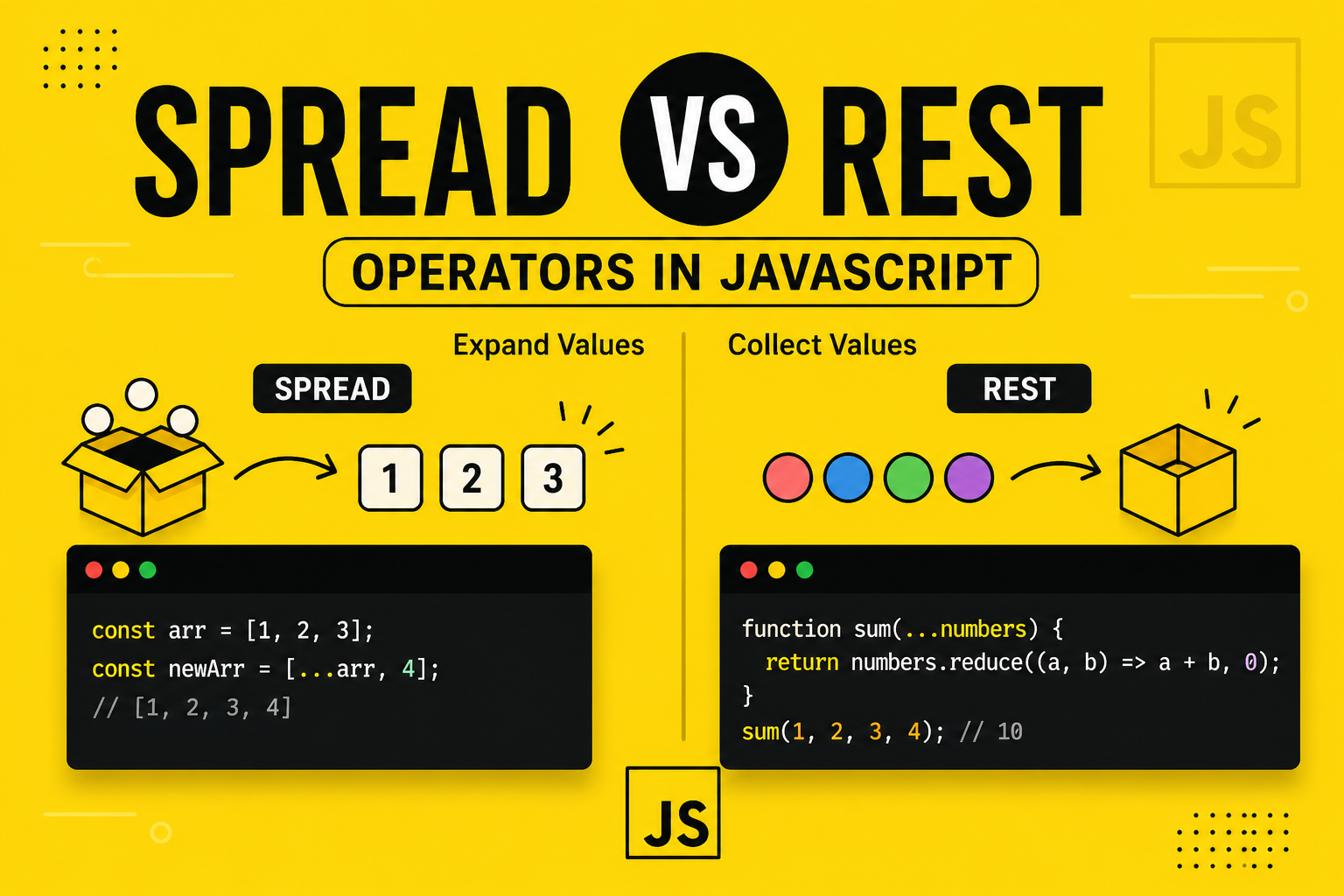
The Difference Most Developers Think They Know — But Often Don’t
Introduction
JavaScript has evolved significantly over the years, and with ES6 came two powerful operators that look identical but behave very differently: the spread (...) and rest (...) operators.
Yes, they use the same syntax. No, they are not the same.
Most beginners — and even intermediate developers — confuse them because the difference is contextual, not visual.
This article will give you a deep, practical understanding of:
How spread expands data
How rest collects data
When to use each
Real-world patterns used in production code
Subtle differences that can break your logic if misunderstood
Mental Model (This Will Save You)
Before diving into syntax, understand this:
Spread = Expand values Rest = Collect values
If you remember only this, you’ll rarely go wrong.
Spread Operator — Expanding Values
The spread operator takes an iterable (array, object, string) and expands it into individual elements.
Visual Understanding


Think of it like opening a box and laying all items out separately.
Basic Example
const numbers = [1, 2, 3];

const newNumbers = [...numbers, 4, 5];

console.log(newNumbers);
// [1, 2, 3, 4, 5]
Here, ...numbers expands the array.
Custom Real-Life Example
Imagine building a playlist system:
const basePlaylist = ["song1", "song2"];
const newSongs = ["song3", "song4"];

const fullPlaylist = [...basePlaylist, ...newSongs];

console.log(fullPlaylist);
// ["song1", "song2", "song3", "song4"]
You’re merging collections cleanly without loops.
Spread with Arrays
Copying Arrays (Without Mutation)
const original = [10, 20, 30];
const copy = [...original];

copy.push(40);

console.log(original); // [10, 20, 30]
console.log(copy);     // [10, 20, 30, 40]
Important: This is a shallow copy, not deep.
Custom Example: Undo Feature
const history = [[1, 2], [1, 2, 3]];

const current = [...history[history.length - 1]];

current.push(4);

console.log(current); // [1, 2, 3, 4]
Used in apps like editors or form tracking.
Spread with Objects
Visual Understanding


Merging Objects
const user = {
  name: "Chitta",
  role: "developer"
};

const updatedUser = {
  ...user,
  role: "senior developer"
};

console.log(updatedUser);
// { name: "Chitta", role: "senior developer" }
Rightmost values override earlier ones.
Custom Example: API Payload Builder
const basePayload = {
  app: "inventory",
  version: 1
};

const userPayload = {
  userId: 101,
  action: "update"
};

const finalPayload = {
  ...basePayload,
  ...userPayload
};

console.log(finalPayload);
Used heavily in backend APIs.
Rest Operator — Collecting Values
The rest operator gathers multiple elements into a single array.
Visual Understanding


Think of it like putting multiple loose items into one box.
Rest in Function Parameters
Basic Example
function sum(...numbers) {
  return numbers.reduce((acc, num) => acc + num, 0);
}

console.log(sum(1, 2, 3, 4)); // 10
Here, numbers becomes [1,2,3,4].
Custom Example: Order System
function createOrder(customer, ...items) {
  return {
    customer,
    items
  };
}

const order = createOrder("Rahul", "Laptop", "Mouse", "Keyboard");

console.log(order);
Rest in Destructuring
Arrays
const [first, ...rest] = [10, 20, 30, 40];

console.log(first); // 10
console.log(rest);  // [20, 30, 40]
Objects
const user = {
  name: "Chitta",
  age: 23,
  city: "Kolkata"
};

const { name, ...details } = user;

console.log(name);    // Chitta
console.log(details); // { age: 23, city: "Kolkata" }
Custom Example: Secure Data Filtering
const userData = {
  id: 1,
  password: "secret",
  email: "test@mail.com"
};

const { password, ...safeData } = userData;

console.log(safeData);
Used in backend systems before sending response.
Spread vs Rest — The Real Difference
Side-by-Side Comparison
| Feature | Spread | Rest |
|---|---|---|
| Purpose | Expands values | Collects values |
| Usage | Arrays, Objects, Function calls | Function parameters, Destructuring |
| Direction | Outward | Inward |
| Example | [...arr] |
(...args) |
One-Line Understanding
// Spread → Breaks apart
console.log(...[1,2,3]);

// Rest → Groups together
function fn(...args) {}
Critical Difference (Context-Based)
This is where most developers make mistakes.
Same Syntax, Different Meaning
// Spread
const arr = [1, 2, 3];
console.log(...arr);

// Rest
function test(...args) {
  console.log(args);
}
The difference is determined by position:
Right side → Spread
Left side (assignment/parameters) → Rest
Practical Use Cases
1. Immutable Updates (Frontend)
const state = { count: 1 };

const newState = { ...state, count: 2 };
2. Dynamic Arguments
const nums = [5, 10, 15];

Math.max(...nums);
3. Flexible Functions
function logAll(...messages) {
  messages.forEach(msg => console.log(msg));
}
4. Removing Properties
const { password, ...publicData } = user;
5. Combining Data Sources
const dbData = { id: 1 };
const apiData = { status: "ok" };

const merged = { ...dbData, ...apiData };
Common Mistakes Developers Make
1. Confusing Spread with Deep Copy
const obj = { nested: { a: 1 } };
const copy = { ...obj };

copy.nested.a = 99;

console.log(obj.nested.a); // 99
Spread is shallow.
2. Misplacing Rest
// Wrong
const [...rest, last] = [1,2,3]; // Error
Rest must be last element.
3. Overusing Spread in Large Data
Spreading large arrays repeatedly can hurt performance.
Real-World Insight
In modern JavaScript applications:
Spread is heavily used in React state updates
Rest is common in API handlers and utilities
Both are foundational for functional programming patterns
Final Thought
Spread and rest operators are simple in syntax but powerful in application.
The key difference is not in how they look — but in how and where they are used.
If you remember:
Spread expands Rest collects
You already understand more than most developers.
Quick Recap
Spread (
...) → Expands elementsRest (
...) → Collects elementsContext defines behavior
Spread is used in arrays, objects, function calls
Rest is used in parameters and destructuring
What to Practice Next
Build a small project using spread for state updates
Create utility functions using rest parameters
Try combining both in one example


