Function Declaration vs Function Expression: What’s the Difference?
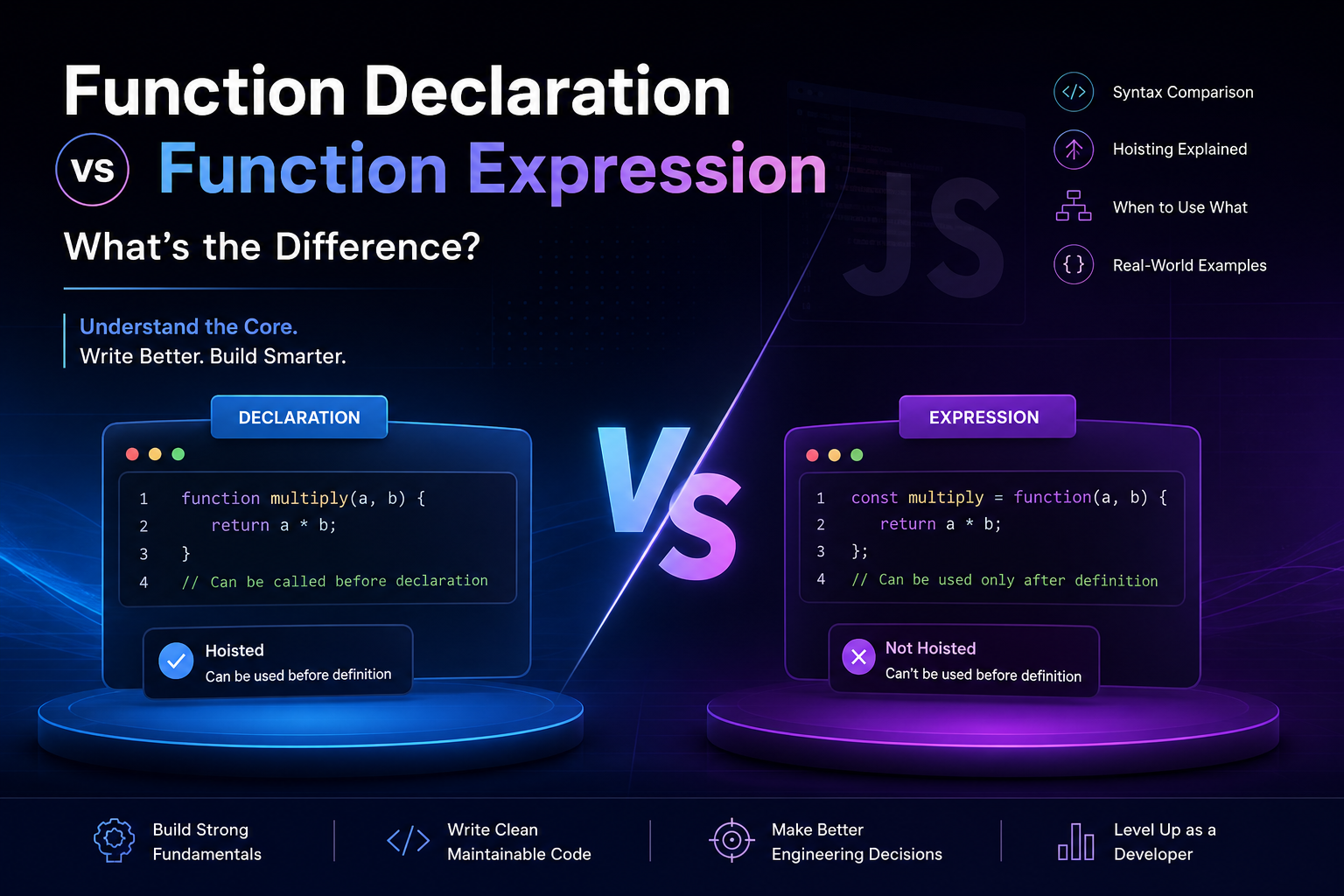
Modern JavaScript is less about writing code and more about structuring behavior. Functions are the smallest unit of reusable logic — the building blocks that let you move from scripts to systems.
If you misunderstand how functions behave at a fundamental level, subtle bugs will follow you into interviews, production systems, and large-scale architecture.
This guide goes beyond surface-level differences and builds a strong mental model — from basics to real-world decision-making.
1. What Are Functions and Why Do We Need Them?
At its core, a function is a reusable block of logic.
Instead of repeating logic, we define it once and reuse it.
Example: Without Function
let a = 5, b = 3;
console.log(a + b);

let x = 10, y = 20;
console.log(x + y);
We are repeating logic.
With Function
function add(num1, num2) {
  return num1 + num2;
}

console.log(add(5, 3));
console.log(add(10, 20));
Now the logic is reusable, testable, and maintainable.
2. Function Declaration (The Classic Form)
A function declaration defines a named function using the function keyword.
function multiply(a, b) {
  return a * b;
}
Key Characteristics
Has a name
Defined using
functionkeywordHoisted (important, we’ll discuss shortly)
Can be called before it appears in code
3. Function Expression (The Flexible Form)
A function expression assigns a function to a variable.
const multiply = function(a, b) {
  return a * b;
};
Key Characteristics
Function can be anonymous (no name)
Stored in a variable
Behaves like a value
Not hoisted like declarations
4. Side-by-Side Comparison
// Function Declaration
function sum(a, b) {
  return a + b;
}

// Function Expression
const sumExp = function(a, b) {
  return a + b;
};
Mental Model
| Aspect | Declaration | Expression |
|---|---|---|
| Definition Style | Statement | Value assignment |
| Name Required | Yes | Optional |
| Hoisting | Fully hoisted | Only variable hoisted |
| Usage Timing | Before or after definition | Only after definition |
| Flexibility | Less | More |
5. Hoisting (Simple but Critical Concept)
Hoisting means JavaScript moves declarations to the top during execution.
Declaration Example
console.log(add(2, 3)); // Works

function add(a, b) {
  return a + b;
}
Why it works:
- JavaScript internally "knows" the function before execution starts.
Expression Example
console.log(add(2, 3)); // Error

const add = function(a, b) {
  return a + b;
};
Why it fails:
Only the variable
addis hoisted (not the function body)At that moment,
addis undefined
6. Execution Flow Visualization


Think of it like this:
Declarations are registered early
Expressions are evaluated at runtime
7. Practical Insight: Why This Matters
At a beginner level, both seem similar.
At a professional level, they behave differently in:
Code organization
Debugging
Architecture design
Callback patterns
Functional programming
8. When to Use Function Declaration
Use declaration when:
1. You need predictable structure
function calculateTax(income) {
  return income * 0.18;
}
2. You want readability at top level
Core business logic
Utility functions
3. Order independence is needed
You can call it anywhere in the file.
9. When to Use Function Expression
Use expression when:
1. You need flexibility
const calculateDiscount = function(price) {
  return price * 0.9;
};
2. You want to pass functions as values
setTimeout(function() {
  console.log("Executed later");
}, 1000);
3. You want to control scope tightly
if (true) {
  const tempFunction = function() {
    return "Scoped function";
  };
}
10. Real-World Engineering Perspective
In production systems:
Function declarations are used for core modules
Function expressions dominate in:
Event handlers
Callbacks
Closures
Functional patterns
11. Advanced Behavior Insight
Named Function Expression
const factorial = function fact(n) {
  if (n <= 1) return 1;
  return n * fact(n - 1);
};
Why useful:
Enables recursion
Better debugging (stack traces show name)
Arrow Function (Modern Expression)
const add = (a, b) => a + b;
This is also a function expression with shorter syntax.
12. Business-Level Thinking
In large-scale applications:
Function declarations help in clear architecture
Function expressions enable:
Dynamic behavior
Dependency injection
Callback-driven systems
Example:
function processPayment(strategy) {
  return strategy();
}

const creditCard = function() {
  return "Paid via Credit Card";
};

console.log(processPayment(creditCard));
This pattern is foundational in scalable systems.
13. Assignment (Must Practice)
Task 1: Function Declaration
function multiply(a, b) {
  return a * b;
}
Task 2: Function Expression
const multiplyExp = function(a, b) {
  return a * b;
};
Task 3: Call Both
console.log(multiply(2, 3));
console.log(multiplyExp(2, 3));
Task 4: Test Hoisting
console.log(multiply(2, 3));     // Works
console.log(multiplyExp(2, 3));  // Fails

function multiply(a, b) {
  return a * b;
}

const multiplyExp = function(a, b) {
  return a * b;
};
Observe carefully. This difference is interview-critical.
14. Comparison Diagram


Final Takeaways
Function declaration = structure + predictability
Function expression = flexibility + control
Hoisting is the key differentiator
Real-world codebases use both intentionally
Understanding this is not just about syntax — it’s about how JavaScript thinks during execution.
Closing Thought
Most developers learn functions.
Few understand how functions behave before execution even starts.
That difference separates someone who writes code from someone who designs systems.


