Async Code in Node.js: Callbacks vs Promises
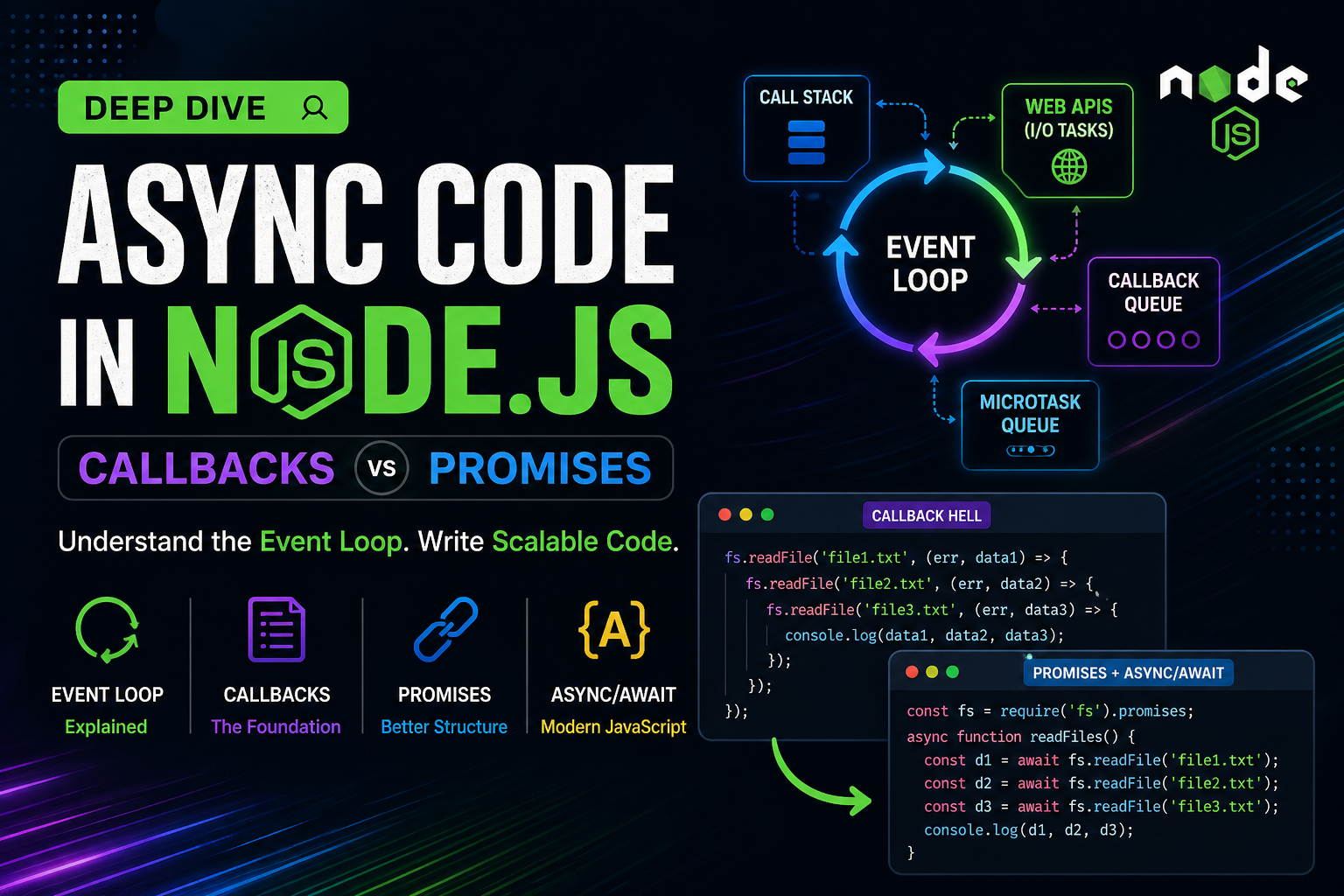
Node.js feels fast not because it does things instantly, but because it does not wait.
If you understand async code deeply, you unlock:
high-performance backend systems
scalable APIs
better debugging skills in interviews and real projects
This is not just theory — we will walk through how it actually works internally.
Why Asynchronous Code Exists in Node.js
Node.js runs on a single-threaded event loop. That means:
One main thread handles all requests
No blocking is allowed if you want scalability
If Node.js waited for slow operations like file I/O or API calls, the entire server would freeze.
So instead, Node.js delegates heavy work to the system and continues execution.
Event Loop Concept (Visual)


Flow:
Task starts
Async operation goes to background (libuv / OS)
Event loop continues executing other code
Callback queue stores completed tasks
Event loop picks and executes them
Real Scenario: File Reading (Blocking vs Non-Blocking)
Blocking Version
const fs = require('fs');

const data = fs.readFileSync('file.txt', 'utf-8');
console.log(data);
console.log("Next step");
Problem:
Execution stops until file is fully read
No concurrency
Non-Blocking Version (Callback)
const fs = require('fs');

fs.readFile('file.txt', 'utf-8', (err, data) => {
    if (err) throw err;
    console.log(data);
});

console.log("Next step");
Output order:
Next step
(file content later)
Callback Execution Flow (Step-by-Step)


readFileis calledNode.js sends file task to system
Main thread continues
Once file is ready → callback pushed to queue
Event loop executes callback
This is the foundation of Node.js scalability.
The Real Problem: Callback Hell
As systems grow, you rarely have just one async operation.
fs.readFile('file1.txt', 'utf-8', (err, data1) => {
    fs.readFile('file2.txt', 'utf-8', (err, data2) => {
        fs.readFile('file3.txt', 'utf-8', (err, data3) => {
            console.log(data1, data2, data3);
        });
    });
});
Callback Hell Visualization


Problems:
Deep nesting structure
Hard to maintain
Error handling scattered
Code readability collapses
This is where modern JavaScript evolved.
Promises: Structured Async Handling
A Promise is an object that represents a future result.
It has three states:
Pending
Fulfilled
Rejected
Promise Lifecycle


Promise-Based File Reading
const fs = require('fs').promises;

fs.readFile('file.txt', 'utf-8')
    .then(data => {
        console.log(data);
    })
    .catch(err => {
        console.error(err);
    });

console.log("Next step");
Solving Callback Hell with Promises
const fs = require('fs').promises;

fs.readFile('file1.txt', 'utf-8')
    .then(data1 => {
        return fs.readFile('file2.txt', 'utf-8')
            .then(data2 => [data1, data2]);
    })
    .then(([data1, data2]) => {
        return fs.readFile('file3.txt', 'utf-8')
            .then(data3 => [data1, data2, data3]);
    })
    .then(([data1, data2, data3]) => {
        console.log(data1, data2, data3);
    })
    .catch(err => console.error(err));
Notice:
No pyramid structure
Flow is linear
Centralized error handling
Callback vs Promise (Technical Comparison)
| Aspect | Callback | Promise |
|---|---|---|
| Execution style | Nested | Chained |
| Error handling | Distributed | Centralized |
| Readability | Low | High |
| Debugging | Difficult | Easier |
| Composition | Weak | Strong (Promise chaining) |
Internal Difference (Important for Interviews)
Callback:
Passed directly to async function
No control over execution timing
Can be called multiple times (risk)
Promise:
Guarantees single resolution
Immutable state
Supports chaining and composition
Visual Comparison: Callback vs Promise Flow


Advanced Insight: Microtask Queue vs Callback Queue
This is where most candidates fail in interviews.
Node.js has:
Callback Queue (macrotasks)
Microtask Queue (Promises)
Priority:
Current execution
Microtasks (Promises)
Macrotasks (Callbacks)
Execution Order Example
console.log("Start");

setTimeout(() => console.log("Callback"), 0);

Promise.resolve().then(() => console.log("Promise"));

console.log("End");
Output:
Start
End
Promise
Callback
Microtask vs Macrotask Visualization


Final Step: async/await (Modern Standard)
Promises become even cleaner with async/await.
const fs = require('fs').promises;

async function readFiles() {
    try {
        const data1 = await fs.readFile('file1.txt', 'utf-8');
        const data2 = await fs.readFile('file2.txt', 'utf-8');
        const data3 = await fs.readFile('file3.txt', 'utf-8');

        console.log(data1, data2, data3);
    } catch (err) {
        console.error(err);
    }
}
This looks synchronous, but it is fully asynchronous under the hood.
Key Takeaways
Node.js uses async code to avoid blocking the event loop
Callbacks are the foundation but lead to complexity
Promises provide structure and reliability
Microtasks (Promises) execute before callbacks
async/await is built on top of Promises and is the current standard


